Parents take photographs of their babies every day. A quick phone picture might capture a sleepy smile after a nap, a funny expression during mealtime, or the first attempt at crawling. These everyday photographs become part of a family’s story.
But when a special milestone arrives, some parents consider booking a professional studio photoshoot. This often leads to a practical question: Is professional photography really different from taking pictures with a smartphone?
The answer is yes, but not in every situation. Modern smartphones can produce excellent photographs, especially in good lighting. A professional studio, meanwhile, offers greater control over lighting, backgrounds, creative setups, and the overall photography experience.
Neither option is automatically right for every family. The best choice depends on what you want to capture, how you plan to use the photographs, and what fits your budget.
Image Quality: What Is the Actual Difference?
Smartphone cameras have improved considerably. They are convenient, easy to use, and capable of capturing beautiful photographs in everyday situations. For family memories, a phone may provide everything you need.
Professional studio photography offers more control over how the final image looks. A photographer can adjust lighting, camera settings, composition, and background details to suit the subject and the desired style.
This can be particularly helpful when photographing a baby indoors, working with a specific theme, or creating a consistent set of portraits.
However, a professional camera alone does not guarantee a better photograph. Lighting, timing, composition, editing, and the photographer’s ability to work with the baby all contribute to the result.
The practical takeaway: Use your phone for everyday moments and consider a professional session when you want carefully planned portraits or a coordinated collection of photographs.
Lighting: Natural Light Versus Studio Control
Lighting has a major influence on how a photograph looks.
With a smartphone, parents often work with whatever light is available. A bright window can provide beautiful soft light, while a dim room may produce grainy images or blurred movement. Strong sunlight can also create harsh shadows.
A studio photographer can arrange lighting to suit the baby’s position, the background, and the desired appearance. This helps create more consistent results across different poses and setups.
That does not mean studio lighting is always superior to natural light. A phone photograph taken near a window can look warm and beautiful, and professional photographers also use natural light when it suits the session.
The difference is control. A studio generally gives the photographer more ways to adjust the lighting when conditions change.
Backgrounds, Themes, and Creative Options
Smartphones are ideal for documenting a baby in familiar surroundings: on a play mat, in a parent’s arms, or enjoying time with family.
Creating a coordinated themed collection at home may require additional preparation, including backgrounds, props, outfits, and suitable space.
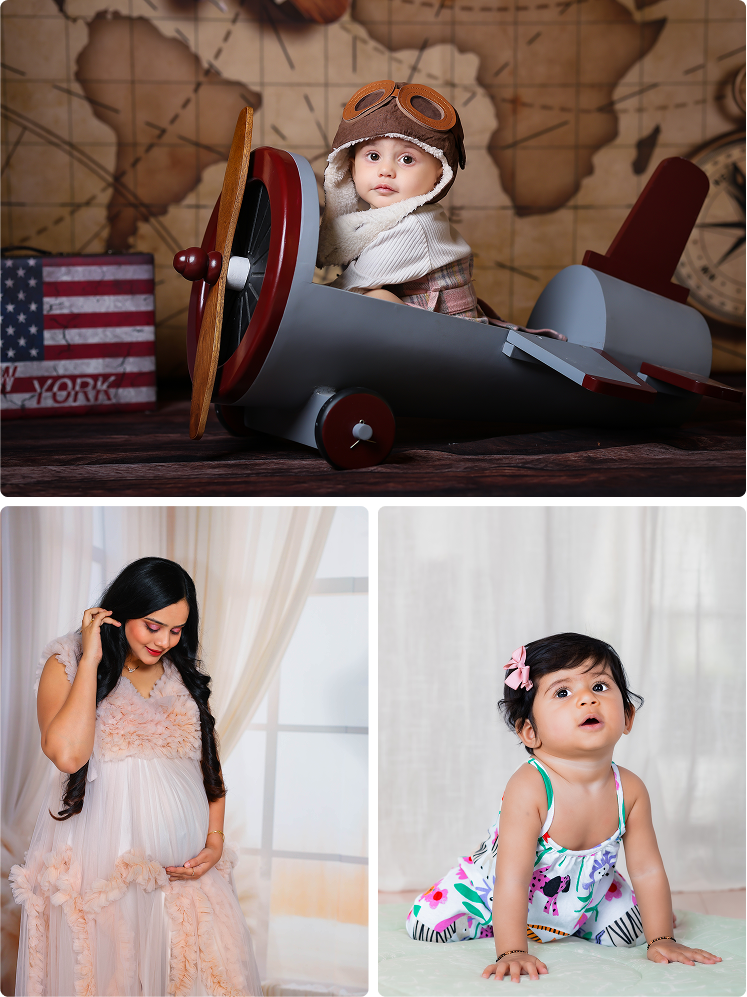
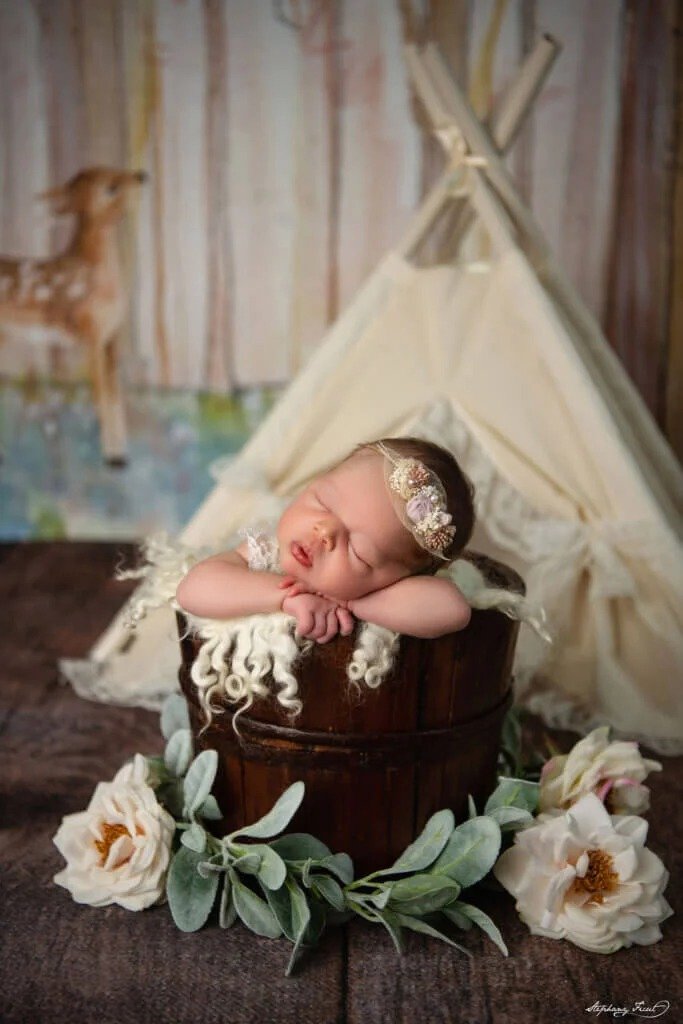
A professional studio may already have equipment, backdrops, and themed setups available. Depending on the package, parents may be able to choose different backgrounds, milestone concepts, or birthday themes.
Before booking, ask which themes are included and whether customized decorations or additional setups cost extra.
Remember that more props do not necessarily produce more meaningful photographs. A simple portrait with a genuine expression can be just as special as an elaborate themed image.
Capturing Movement and Natural Expressions
Babies rarely stay still for long. They turn their heads, reach for toys, crawl away, laugh unexpectedly, and change expressions in seconds.
Smartphones are excellent for capturing spontaneous moments because they are usually close at hand. You do not need to schedule a session to photograph an unexpected smile.
Professional photographers bring experience in timing, composition, and anticipating moments. They can prepare for movement, guide parents, and look for expressions that might otherwise pass unnoticed.
Still, a professional session cannot guarantee that a baby will smile on cue or cooperate with every planned pose. Babies have their own routines and moods.
A good approach is to allow room for play, interaction, and breaks rather than expecting every photograph to be perfectly posed.
Convenience: Your Phone Is Always Available
One of the biggest advantages of smartphone photography is convenience. You can take pictures at home, during a family visit, or while your baby explores something new.
There is no appointment, travel, or additional photography fee. You can capture small moments whenever they happen.
A studio photoshoot requires planning. Parents may need to book an appointment, prepare outfits, travel to the studio, and allow time for the session.
For some families, that extra planning is worthwhile because it creates an opportunity to focus on photographs without managing the camera themselves. For others, casual photography at home is more practical.
Consider your baby’s age, routine, temperament, and your family’s schedule before deciding.
Cost: Free Everyday Photography Versus a Paid Session
Smartphone photography usually has no additional per-session cost if you already own a phone. You may still spend money on storage, printing, or accessories, but the camera is available for everyday use.
Professional photography involves a service fee. Depending on the package, this may cover the photographer’s time, equipment, studio access, themed setups, image selection, editing, and final digital or printed photographs.
The right comparison is not simply free versus expensive. It is whether the additional services are useful to your family.
If you want to document ordinary daily moments, your smartphone may be all you need. If you want a carefully planned milestone collection, family portraits, or a themed birthday session, a professional package may offer value.
Before booking, check the number of edited images, session duration, included themes, family participation, delivery timeline, and any additional charges. Choose based on what you genuinely want rather than assuming that a larger package is always better.
Editing and the Final Collection
Smartphones often apply automatic image processing, and many offer simple editing tools. You can crop photographs, adjust brightness, and share images within minutes.
Professional photography typically includes a more deliberate selection and editing process. The photographer may choose the strongest images and refine exposure, colour, cropping, and other details to create a consistent final collection.
The extent of editing varies by photographer and package. Ask what the studio means by edited photographs, how many final images are included, and whether additional images cost extra.
It is also worth asking how the photographs will be delivered and whether high-resolution files are provided.
Do not judge a package only by the number of images. A smaller collection of photographs that you love may be more valuable to you than a large collection you rarely revisit.
Including Parents in the Photographs
Phone photographs often capture a parent holding the camera while the other parent interacts with the baby. Self-timers and tripods can help, but they may not capture every family combination easily.
A professional session provides an opportunity to include both parents and, if desired, siblings in a coordinated set of portraits.
You can also ask the photographer to capture natural interactions rather than only formal poses. A cuddle, a shared laugh, or a baby’s curious expression while looking at a parent can tell a meaningful family story.
Before booking, confirm whether family photographs are included in the package. Some packages may limit the number of people, setups, or photographs.
Privacy, Storage, and Keeping Your Photographs Safe
With smartphone photography, parents generally control where images are stored and who receives them. Photographs may remain on the device, be backed up to a private account, or be shared with relatives.
Professional photography introduces another consideration: how the studio stores and handles your images.
Before booking, ask how photographs are delivered, whether an online gallery is used, how long the gallery remains available, and whether the studio requests permission before sharing images publicly.
If you do not want your baby’s photographs used in promotional materials or social media, communicate that preference clearly and ask how consent is handled.
Regardless of how the photographs are created, keep backup copies of important digital images. Devices can be lost or damaged, and online galleries may not remain available indefinitely.
Studio Photography vs Smartphone Photography: At a Glance
Factor | Smartphone Photography | Professional Studio Photography |
Cost per session | Usually no extra fee | Paid package or session fee |
Convenience | Available at any time | Requires booking and planning |
Lighting | Depends on available conditions | More control over lighting |
Themes and props | Usually arranged by the family | Studio options may be available |
Editing | Automatic or self-edited | Photographer-selected and edited images, depending on the package |
Family portraits | Self-timer or help from others | Photographer can guide group portraits |
Spontaneous moments | Excellent for everyday memories | Useful when captured during a planned session |
Final collection | Selected by the family | Usually curated according to package terms |
Best suited for | Daily life and casual memories | Planned portraits, milestones, and themed sessions |
Neither option wins in every category. The best choice depends on the purpose of the photographs.
When Should You Choose a Professional Baby Photoshoot?
A professional session may be worth considering when:
- You want to celebrate a milestone or first birthday.
- You would like coordinated portraits with both parents.
- You prefer a themed setup without arranging everything yourself.
- You want a planned collection of edited photographs.
- You would like printed portraits or an album.
- You want to be present with your baby instead of managing the camera throughout the session.
For everyday expressions, playtime, family visits, and small discoveries, your smartphone remains a wonderful tool.
You can also combine both approaches. Use your phone regularly to document your baby’s daily life, then book a professional session for the milestones you particularly want to celebrate.
Final Thoughts
Studio photography and smartphone photography serve different purposes, and families do not have to choose only one.
Your smartphone helps preserve the unplanned moments that make everyday family life special. Professional studio photography offers additional control over lighting, creative setups, editing, and the final collection of images.
If you are considering a professional session, explore the Baby Photoshoot service at GigglesandGrins and review the available package inclusions before booking.
You can also read the guide to home versus studio baby photoshoots if you are deciding which setting would suit your family.
Ultimately, the best photographs are not necessarily the most expensive or technically perfect ones. They are the photographs that help you remember your baby as they were at that moment in time.